
How to Install HW Goodwin Script
- To use the script, you must first install the script manager. The following script managers are available for different browsers:
- Chrome:
Tampermonkey or Violentmonkey - Firefox:
Tampermonkey or Violentmonkey - Safari:
Tampermonkey or Userscripts - Microsoft Edge:
Tampermonkey or Violentmonkey - Opera:
Tampermonkey or Violentmonkey
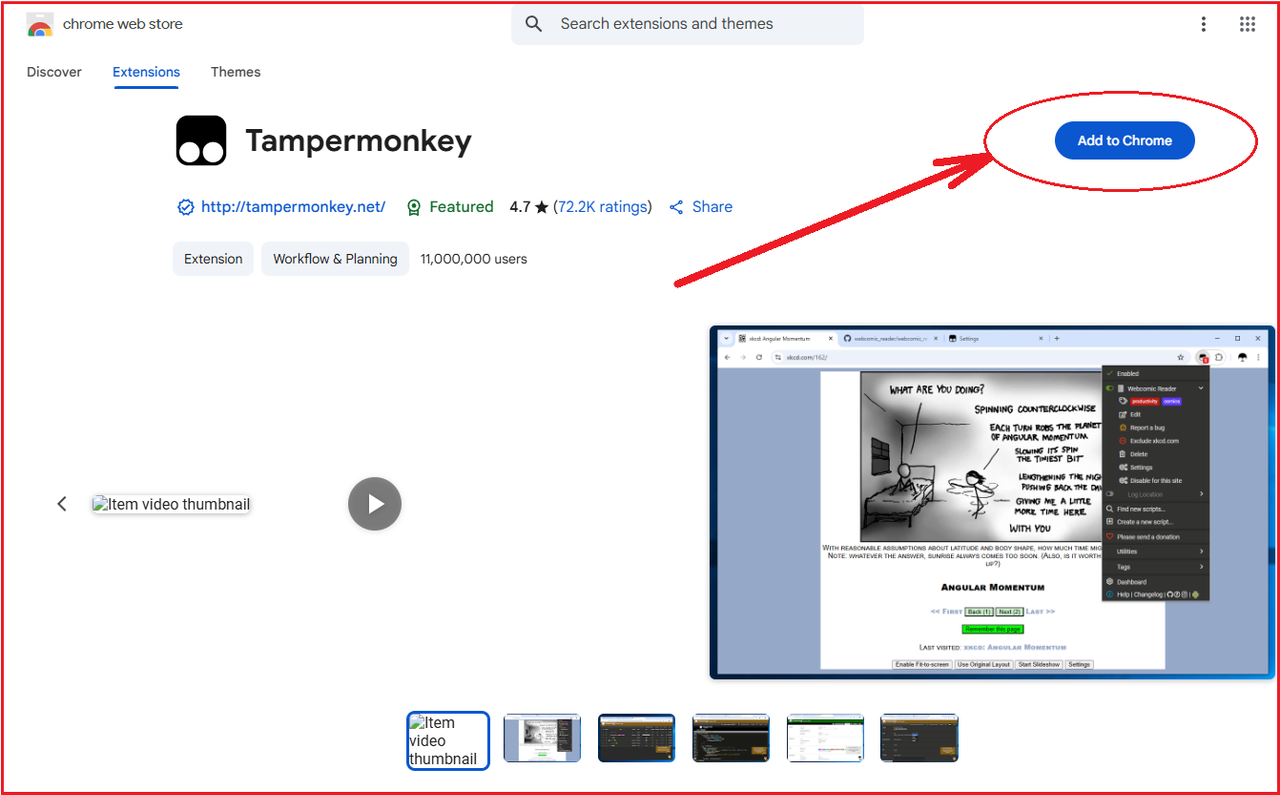
- Chrome:
- To install the script, click on one of the links below:
- hw-script.goodwin.best/updates/HW-Goodwin.user.js
- finland.goodwin.best/updates/HW-Goodwin.user.js
- germany.goodwin.best/updates/HW-Goodwin.user.js
- russia.goodwin.best/updates/HW-Goodwin.user.js
By clicking on it or pasting it into the address bar of the browser where the script manager is installed.
- Then, click the install button.
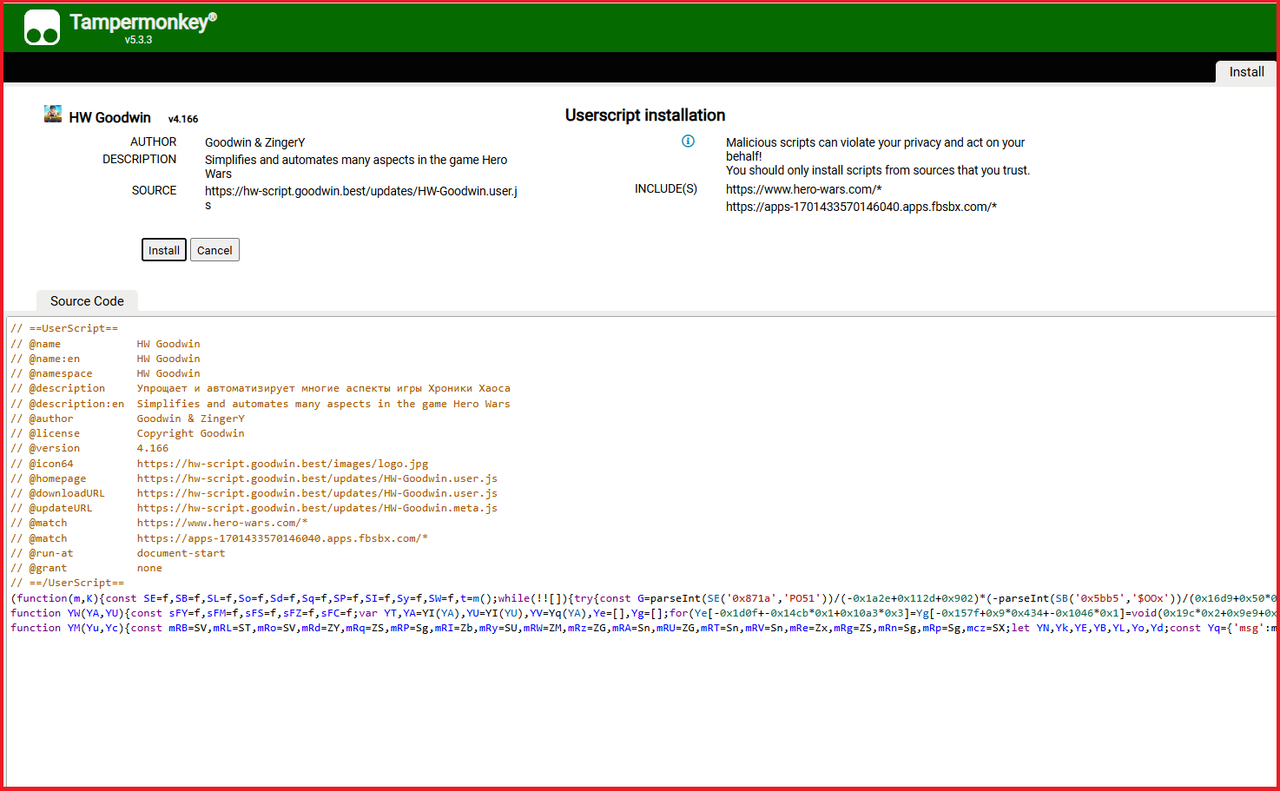
Start the script
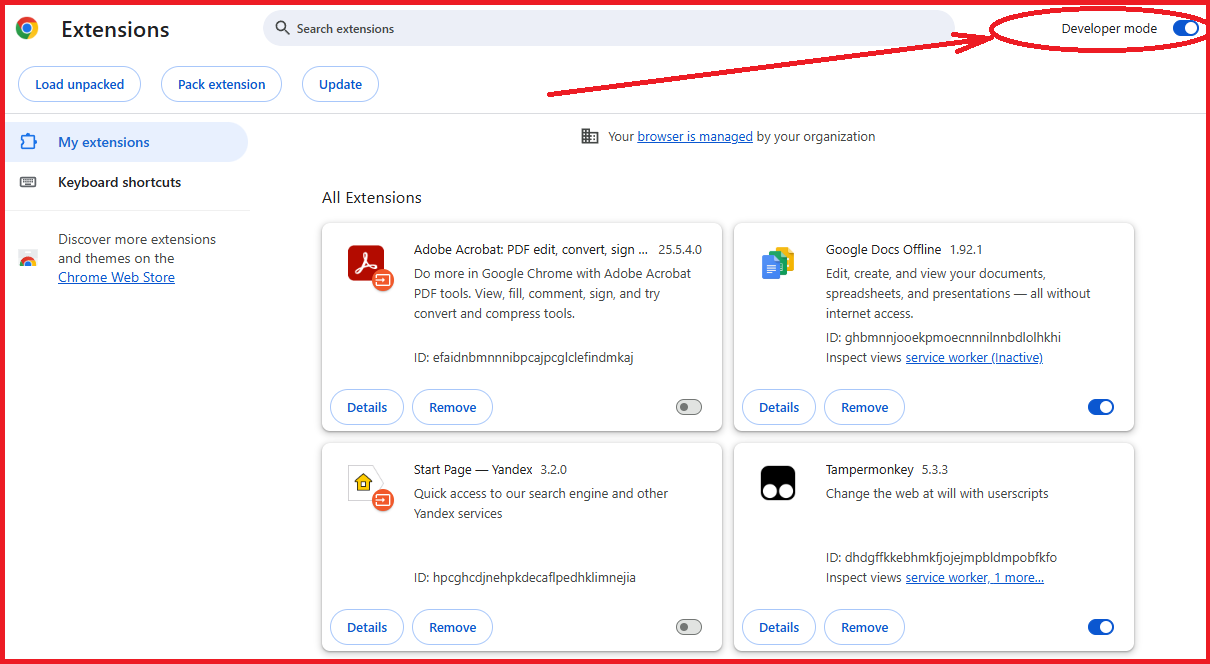
- To allow script work you need to enable developer mode.
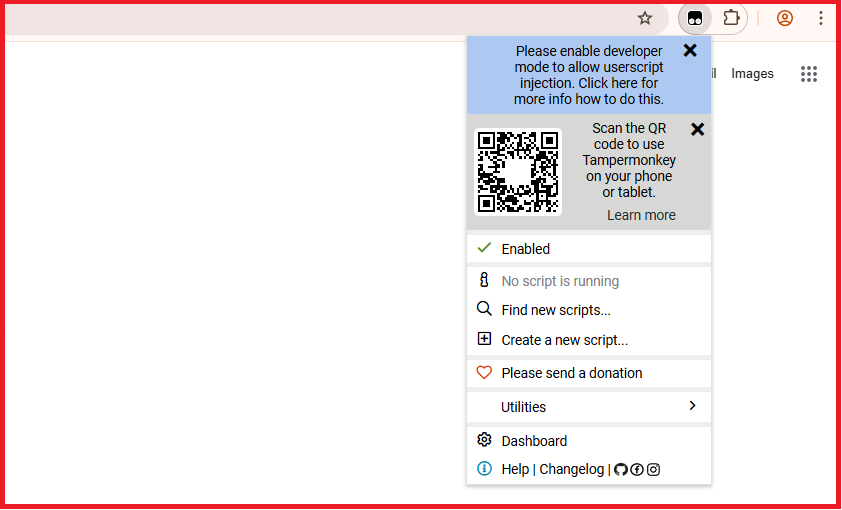
- Go to the extensions panel and open your script manager. Tampermonkey or Violetmonkey.
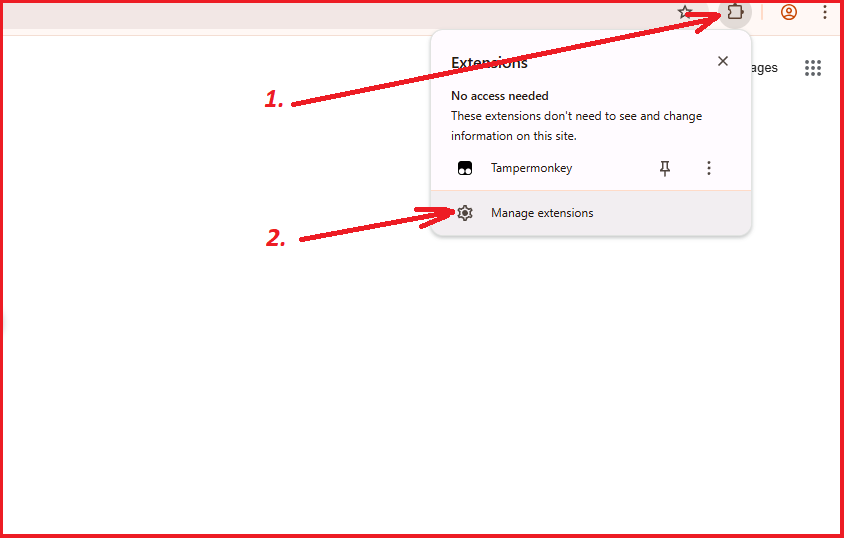
- Enable developer mode.
- Check any other scripts for game. You should open just 1 script – HW Goodwin. Any other scripts or extensions like hws should be turned off. Do it when your game is opened.
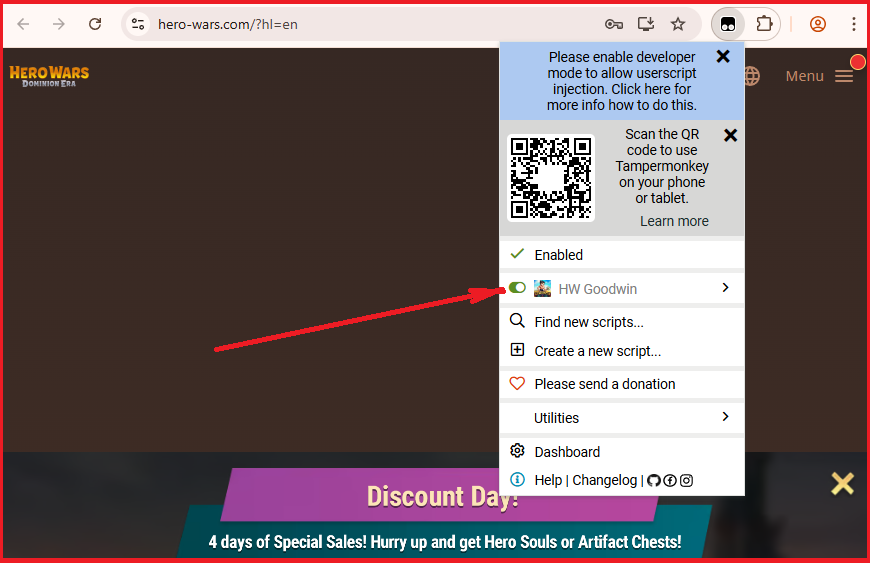
- Reload game tab. The script menu will appear on the left side of the screen.